
Beautiful Plants For Your Interior
Beautiful Plants For Your Interior
Using quality cables is essential to preserving audio signal quality! Today, wireless systems can be used to connect certain instruments, but not all equipment can support wireless functionality. Using cables is necessary at some point or another.
We often encounter musicians who lack knowledge on this topic. It’s time to demystify cables and complex terminology to better understand their features. Let’s dive into the world of audio cables used in music!
Before comparing audio cables commonly used in the music field, it’s essential to understand a few basics.
In audio, whether on stage, at home, or in the studio, you use both balanced and unbalanced cables. But what are the differences?
An unbalanced connection uses two wires within a cable. One wire transmits the audio signal, while the second serves as a ground. Unfortunately, with only two wires, the ground wire may amplify interference, behaving like an antenna that picks up and enhances unwanted noise. Interference can come from many sources, including cell towers, Wi-Fi routers, power supplies, or older electrical installations. The longer the cable, the more susceptible it is to noise.
An unbalanced cable is not necessarily to be avoided. It can connect devices over short distances without generating excessive noise. These cables are typically used to connect individual effect pedals to each other or to connect a guitar to an effects processor.
Among unbalanced cables, you’ll find TS jacks and RCA cables. Below, we’ll go into more detail about each type of cable and its use.
A balanced cable is designed to reduce interference that could disrupt the transmitted signal. It comprises three wires: two for signal transmission and one for grounding. For a balanced connection to work, you need equipment with balanced connectors, as well as a balanced cable to link them. Balanced cables connect most equipment from the stage to the mixing console, for instance. They can transmit a signal over long distances without interference.
Interference is removed by duplicating the source signal and sending it with an opposite polarity. In this case, we refer to “hot” and “cold” signals. The receiver receives two opposite signals that capture interference during transmission. However, it re-adds them in phase, eliminating interference accumulated along the signal path, while amplifying the source signal to make it more robust.
Among balanced cables, you’ll find XLR cables and TRS jacks. Unbalanced cables are used for microphones and to connect DI boxes to the mixing desk for example.
It’s also essential to differentiate between analog and digital audio cables. Both types transmit information, but in different ways. Analog cables carry electrical signals, while digital cables transmit binary information. The binary system consists only of 0s and 1s, much like the language used in computing. For example, jack cables are analog audio cables, while a MIDI cable is a digital audio cable.
The most well-known and widely used cables among musicians are jack cables. They’re essential for any musician and are also used to connect some devices to computers or phones. Today, various types of jack cables are available on the market, with different sizes: 1/4 and mini, and labels: TS, TRS, and TRRS.
Let’s first understand the meaning of the letters TRS. These acronyms indicate sections of a jack cable connector. They stand for:
See the diagram below to locate the different parts. Note that “Ring” here doesn’t mean the small colored rings found on cables. Instead, Ring refers to sections between these rings, which act as insulators between each signal. Inside, you’ll find the wires for the signal and the ground.
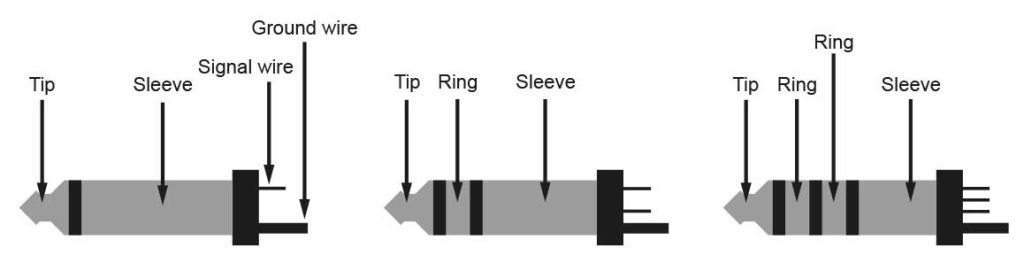
So, when breaking down these cable abbreviations individually, we get:
Jack cables come in a 1/4 size, also known as 6.35mm, which is the connector used for musical instruments. They are also available in mini-jack format for computers or phones.
TS cables contain two wires: a conductor wire and a ground wire. They have a single colored band. All TS cables are mono and unbalanced. They are commonly used to connect musical instruments, effect pedals, effects processors, or synthesizers. You likely have several TS cables in your cable set.
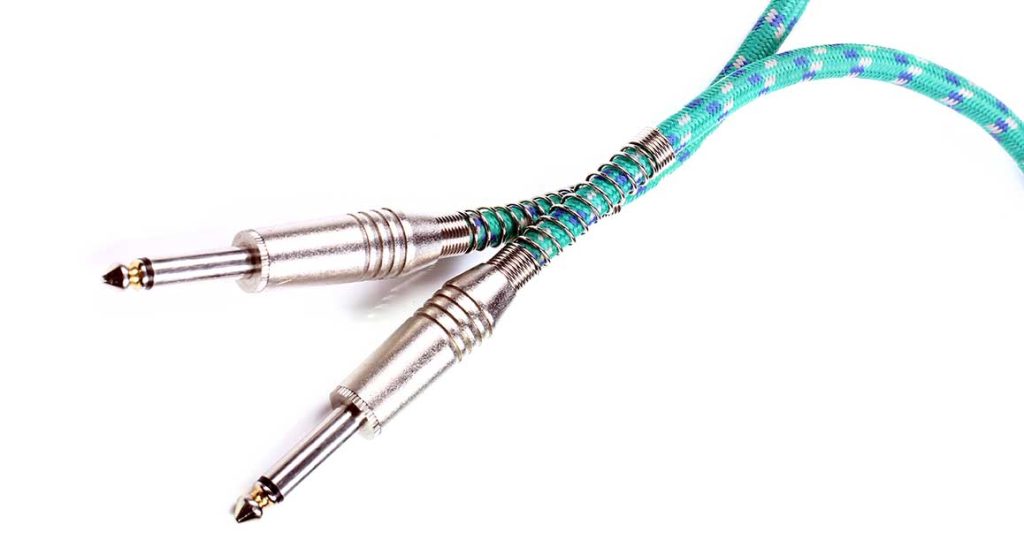
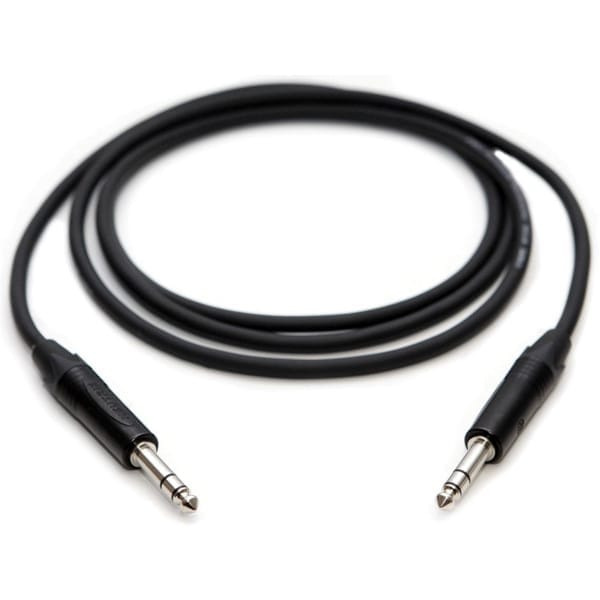
TRS cables have three wires: two for signal conduction and one for grounding. They’re usually balanced. They come in both 1/4” jack (6.35mm) and mini-jack sizes. You can use them in either balanced or unbalanced connections, depending on the devices being connected.
The TRS cable is balanced if it connects two devices with balanced inputs/outputs. If it connects an unbalanced device to a balanced one, it operates as an unbalanced cable since one of the devices cannot interpret the balanced connection.
If you use two TRS cables to produce stereo, each cable remains mono and retains its phase opposition properties.
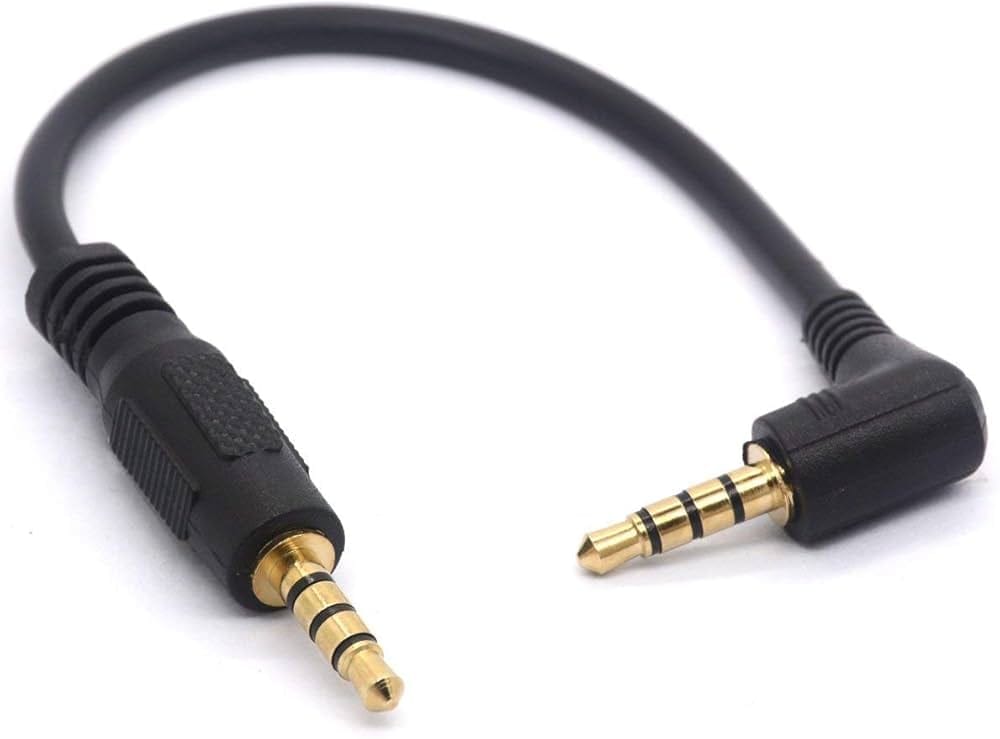
TRRS cables are uncommon in music. They are used to transmit either balanced or unbalanced signals, carrying both audio and voice. These cables have three colored bands and are mainly used to connect headphones and microphones to computers and phones.
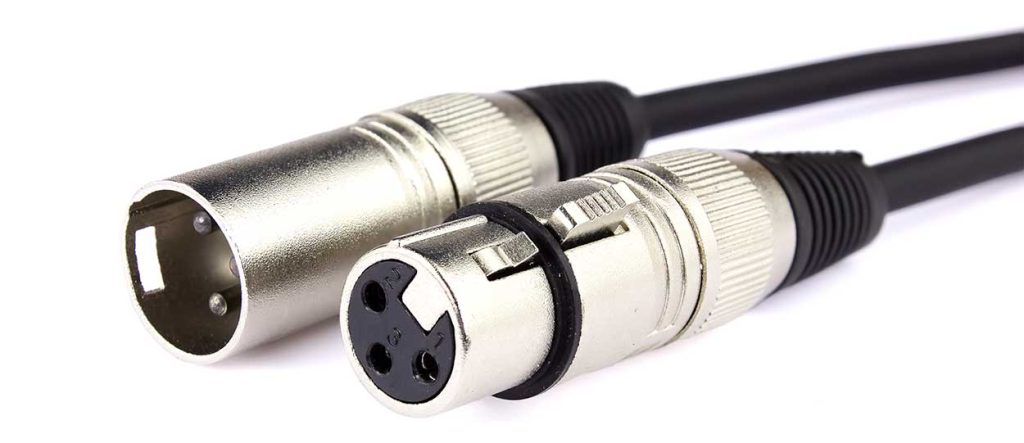
XLR cables are easily identifiable by their distinctive shape. They are always balanced and can be very long without picking up interference. Inside, they contain three pins representing three wires: two for hot and cold signals in phase opposition and one for the ground.
They are used to connect various equipment, such as musical instruments, effects processors, speakers, microphones, DI boxes, and PA systems.
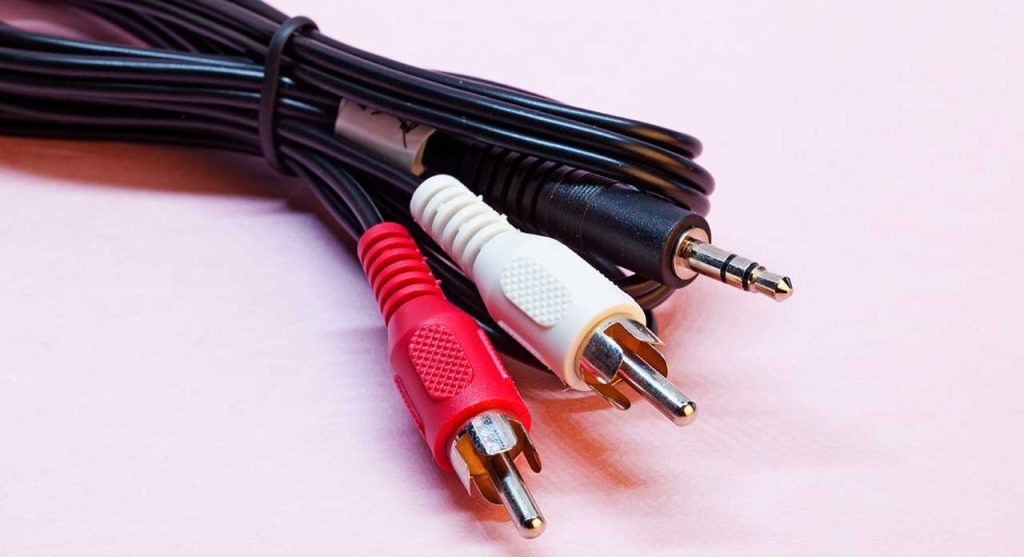
RCA cables are always unbalanced, with two wires: one conductor for the signal and one ground wire. RCA cables are often used to connect Hi-Fi amplifiers and mixing consoles, for instance. The cable ends with a pair of connectors in two different colors: red and white.
Many MIDI instruments and lighting control equipment now use MIDI. These devices need to transmit digital data to interfaces. MIDI cables do not transmit electrical signals, only binary data. A MIDI cable has 5 male/male pins.

It’s possible to connect a MIDI instrument using a USB cable, which provides a digital audio connection. This cable is useful for connecting a MIDI keyboard to your computer in a home studio setup. However, while this setup is convenient at home, it may not be viable in certain situations. USB cables have a length limit of 3 to 5 meters; beyond that, no manufacturer guarantees the device’s proper functionality.
If you have an electric guitar with a TS jack cable that needs to connect to a mixing console, you’re dealing with an unbalanced-to-balanced connection. Use an intermediary device, such as a DI (Direct Injection) box, to bridge the two. DI boxes convert unbalanced instrument signals into signals suitable for direct connection to a mixing console. Note that they also help control impedance.
No, because it depends on the use and the devices involved. Earphone cables often confuse users. A balanced signal is not necessarily stereo.
There are several cases to understand clearly.
Case 1: Getting a balanced signal.
When you want a balanced signal, the cable needs a ground wire and two conductor wires for the hot and cold signals in opposite phases. In this case, the balanced jack cable suppresses interference but does not produce a stereo signal. The output audio signal is mono.
Thus, we have a balanced cable producing a mono audio signal without interference.
Case 2: Getting a stereo signal.
When you want a stereo signal, the cable needs a ground wire and two conductor wires to transmit the left and right channels. However, it lacks any capability to eliminate interference. If you use a single balanced cable to produce a stereo signal, you cancel its balanced function, which then becomes unbalanced.
Thus, we have an unbalanced cable producing a stereo signal that may have interference. Earphone cables use balanced cables to produce a stereo signal with a single cable. However, they lack a system to protect against audio signal interference.
Case #3: Getting a stereo and balanced signal.
If you use two balanced cables to produce a stereo signal, you preserve their balanced function and get a stereo audio signal as output.
Thus, we have two balanced cables that retain the “noise interference cleaning” feature, carrying the left channel for the first cable and the right channel for the second.
Be careful: the device receiving the signal also plays a role in preserving the balanced signal.
No! A mixing console’s inputs work by using received signals in phase opposition to eliminate interference. Sending it a stereo signal (from a phone, for example) will cause it to combine the left and right channels, potentially removing parts of the original signal. Conversely, sending a mixing console signal to a stereo input will produce a strange sound.
Yes, but it won’t give you a balanced signal, and signal interference will vary based on cable length.
Cost is one factor. Balanced cables and devices are more expensive to manufacture. Additionally, not all instruments require a balanced connection, as their signal-to-noise ratio is minimal. Unbalanced cables also have shielding braids to limit interference.
Now you have all the information needed to choose audio cables suited to your setup on stage, in the studio, or at home!
