
Beautiful Plants For Your Interior
Beautiful Plants For Your Interior

Unlock the art of IR sound sculpting: blending impulse responses (IR files). Delve into the heart of music production as we explore the intricacies of mixing multiple impulse response audio elements to craft a cohesive sonic experience. Uncover the management of signal phase and discover the tools and techniques essential for mastering IR blending.
Blending is a term used in the field of music production to refer to the process of mixing multiple audio elements to create a final sound. It is part of the mixing process, which involves balancing and blending different audio files to achieve a cohesive sound. Blending entails combining various sound elements to create a single composition. The ultimate goal of blending is to create an overall sound that is pleasant to listen to and conveys artistic intention.
IR blending involves mixing impulse response (IR) files to blend their characteristics and create a completely new IR. Mixing these audio files can dramatically transform the final signal.
Guitarists are avid users of cabinet and amp IRs. They use blending to craft new sounds with their guitars, and its use has become indispensable. Guitar players are combining 2 IRs wav files in the same signal to get a new sound result.
Poor blending can have disastrous results! Finding the right adjustments is not easy. IR files are audio captures containing the characteristics of various elements related to the recording (equipment, environment, microphone, speakers, etc.). All these elements define thousands of possible sounds! Simply changing the microphone position in space can yield a different impulse response. Bad blending could create a bad result because phase issues can occur between your two audio signals.
Sound is a vibration that propagates through the surrounding air. An audio waveform typically represents such vibrations. Phase refers to the position where one is located at the moment of listening to the signal.
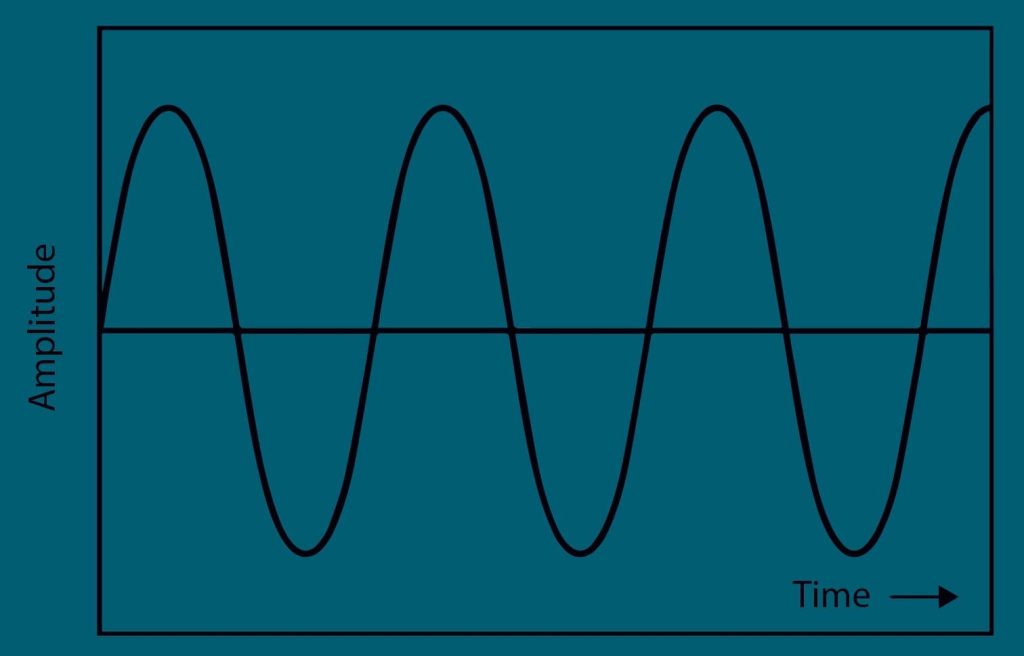
In music, “phase” refers to the temporal synchronization of multiple audio signals. It describes the temporal relationship between these audio signals at a given moment.
Let’s take the example of recording an acoustic guitar with two microphones placed differently. There are two different signals from the same recording. The signals are said to be in phase if their waveforms oscillate at the same frequency. They are said to be out of phase if the waveforms do not coincide.
If both audio signals are in phase, it means their waveforms match and add up constructively. They reinforce each other, resulting in an increase in signal strength. This generally leads to a louder sound.

Conversely, when the signals are out of phase, it means their waveforms are out of sync with each other. In this case, the signals can cancel each other out or weaken each other when mixed, resulting in a decrease in volume and/or a strange alteration of the sound.

Phase management is crucial in audio recording and mixing, as poor phase management can lead to issues with coherence, clarity, and power in the final output. Adjusting polarity, time alignment, and using specific filters are techniques employed to effectively manage the phase alignment of audio signals.
Some VST plugins have this option, but they must be of high quality for the result to be interesting. They should especially offer the ability to control the phase. You have to download and install them on your computer, then they will be added to your DAW like Pro Tools, Ableton Live, Cubase or Logic Pro. We tested 5 Free VST plugin to use IR files.
New effects processors also have this capability. Line 6 processors, for example, are all equipped with this feature and allow blending two IRs within a single preset. Some Hotone Audio, Boss and HeadRush effects processors can do it too! Typically, they offer automatic blending! The result can be excellent or catastrophic. Experimentation is needed to find IR combinations that work well together.
Some IR loaders enable users to load their own IRs and blend them. The Torpedo Captor X is one of the best options on the market. Phase management depends on the devices. Have a look on their manual to know more!
In any case, if your goal is to use IRs for acoustic instruments, it’s better to invest in a device that can handle phase issues. If you’re simply combining cabinet IRs, for example, phase issues are minimal. We highly recommend investing in a good IR loader if you are playing an acoustic guitar, violin, cello or viola. You should also combine it with a preamp. Note that some IR loaders can be at the same time a preamp and an IR loader.
Capturing impulse responses of acoustic instruments such as violins, acoustic guitars, or cellos requires more precision than creating IRs for speakers or amplifiers.
Creating an IR for a speaker cabinet involves sending a signal to the device and capturing it. Typically, a test tone generated by dedicated software is sent, captured, and analyzed to create an IR. This process is relatively straightforward to implement. Some elements may vary from one capture to another, but the result between each take is very similar.
However, capturing impulse responses of acoustic instruments involves many more parameters, including the impulse sent through the body of the acoustic instrument. Impulse responses can vary in length, and as a result, phase issues between two IRs produced under different conditions can arise quickly.

