
Beautiful Plants For Your Interior
Beautiful Plants For Your Interior
It’s time to understand the purpose of Impulse Response loaders, called also IR Loaders: tools for musicians seeking to enhance their audio signals. These devices manage and apply IR files to the audio signal of an acoustic instruments. If you want to reproduce all acoustic properties of acoustic instruments, or the power of the best tube amps, Impulse Response files might be THE solution. To apply them, you will need an IR loader. What is an IR loader? Which loader can you buy? What requirements should you look for?
An IR loader, or Impulse Response loader, is a software or hardware device used to load, manage, and apply Impulse Response (IR) files in an audio system. These devices enable to load you own IR files. Here’s an overview of how it works and its usefulness
The most important parameters for an IR loader are:
These impulse response files are “acoustic captures” of real devices or environments. This could be a tube amplifier, a cathedral, a microphone, a speaker, and even the hollow body of a musical instrument (the resonance of an acoustic guitar body). An impulse response file is a very short audio file containing the frequency acoustic characteristics of these elements. Once applied to a signal, these Impulse Response files transform the source signal, giving it the characteristics of the captured element.
The IR loader acts as the processor performing the application and transformation of the signal. Let’s explore in more detail the interest, operation, and usefulness of these IR loaders.
The IR loaders selected below all accept the loading of impulse response files. This is an essential feature for any IR loader, so it is impossible to propose other devices without this option.
This is the essential element for any IR loader, making it impossible to offer other devices. Indeed, if the IRs integrated into the IR loader are of poor quality, the resulting sound will inevitably be mediocre. Moreover, all these devices are designed for electric guitars. If you don’t play electric guitar, you absolutely need to load your own impulse responses: those corresponding to your musical instrument, such as cello, acoustic guitar, violin, banjo, double bass, etc. Without this option, your IR loader loses all its usefulness! Always prioritize an IR loader that allows the import of third-party IR files in WAV format.
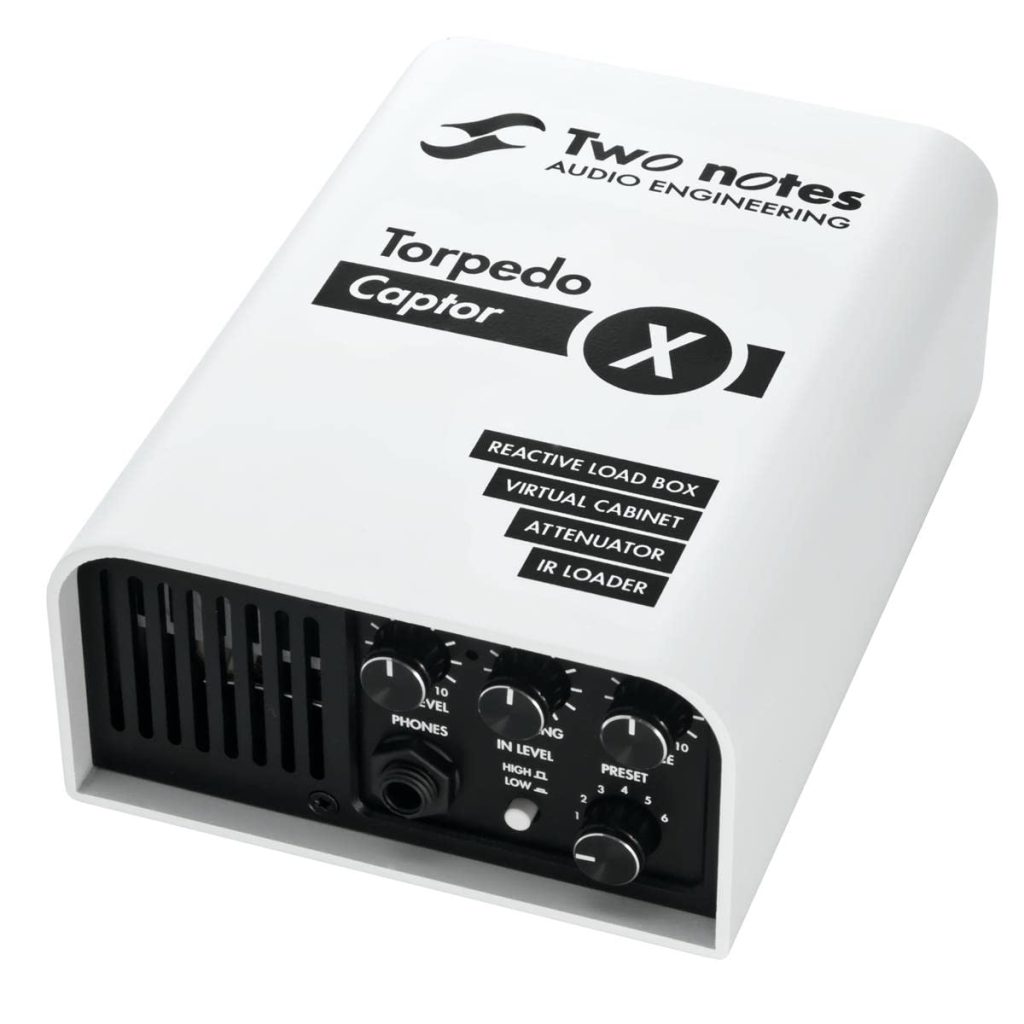
The Torpedo Captor X is the worthy successor to the previous Torpedo Captor! It offers many new features. It acts as an IR file load box usable on stage, in the studio, or at home.
The sound is excellent with a host of built-in tube amps and options to boost certain frequencies.
Of course, you can download your own files or benefit from the Two Notes library. The device can be configured manually, from a computer, and even from your mobile phone via a Bluetooth connection.
The Torpedo Captor X inevitably comes at a cost. Its price is significantly higher than other IR loaders on the market, around €500. This amount should be weighed against the advantages such a device offers!
PROS
Easy to use
One of the best on the market
Excellent sound
IR blending
A lot of settings
512 slots for personal IRs
CONS
Price
We’re still looking for cons
The TC Electronic Impulse IR Loader offers integrated speaker simulations and third-party impulse response imports. Its ultra-portable format is its first advantage!
It features standard 6.35mm mono jack connectors and a mini-USB port for connecting to a computer. This IR loader has a few controls: a potentiometer to adjust the output level, two push buttons to navigate between IRs, and an equalization setting.
In terms of sound, TC Electronic made this pedal in partnership with Celestion. The brand provided several impulse responses. The device also allows you to load your own IR files (which is essential).
It can be found online for around €135. It’s a quality IR loader that will suit most users!
PROS
Small pedal
Portable
Easy to use
Nice settings
79 slots for personal IRs
CONS
Limited settings
No IR blend

The Boss IR-2 pedal has a design identical to other pedal models made by Boss. It’s easily recognizable among thousands! This compact and robust format has proven its efficiency and durability! However, it also has its drawbacks: not always practical ergonomics. Small buttons and large fingers don’t mix well!
It has a small library of impulse responses from Celestion. In terms of controls, it offers three potentiometers for band equalization (bass, middle, and treble) or the management of level, gain, and ambiance. They are very useful for adjusting your tone!
In terms of inputs and outputs, it is well-equipped with a mono input, a mono or stereo output, and a stereo effects loop. We were less impressed by the uneven sound quality between the IRs.
PROS
Easy to use
Great EQ and tone settings
Bypass footswitch
Send/Return effects loop
CONS
IR quality very uneven
Old interface and UX

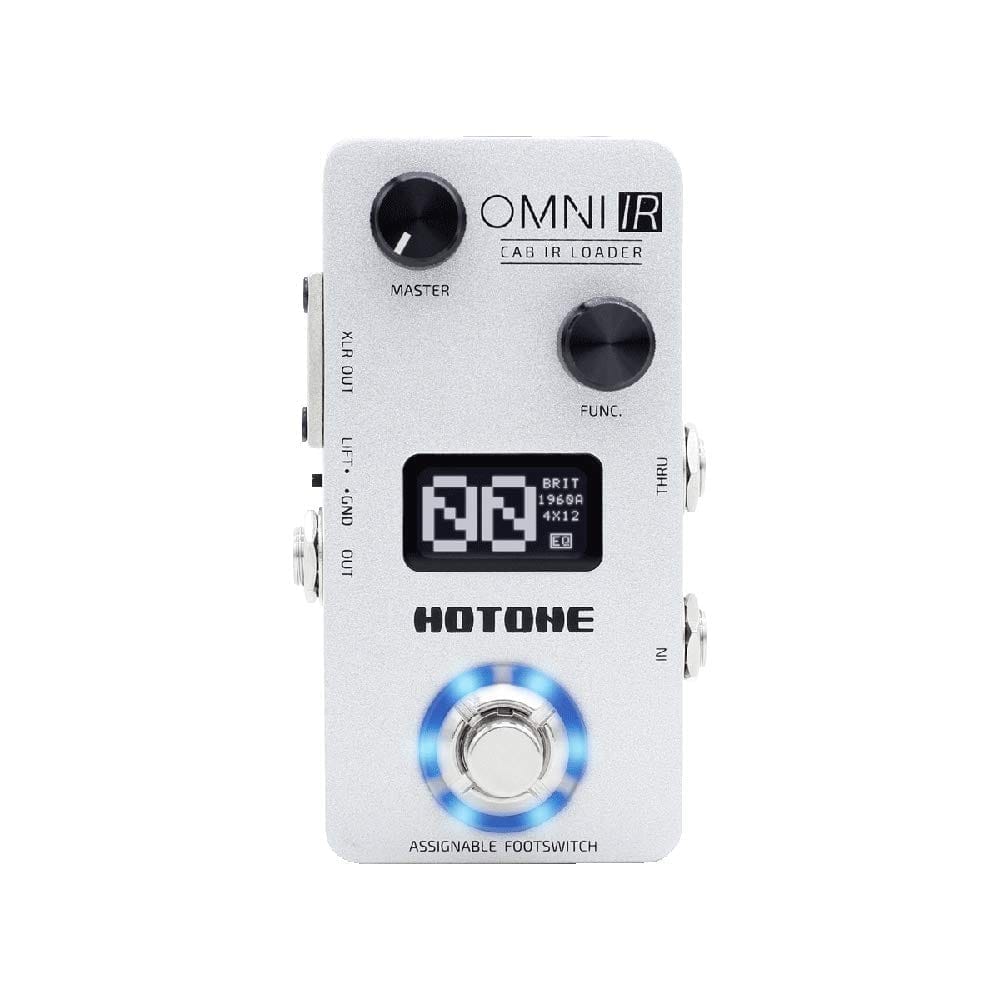
The Hotone Omni IR has a portable design! It features two potentiometers to adjust the level and navigate through the menu, as well as a footswitch to switch between IRs. The LED screen displays the IR number and its name in very small print on the side (completely unreadable unless you’re close).
In terms of connectivity, you must use a 6.35mm mono jack input. However, you can output via XLR or mono jack. Hotone has provided software for configuration via a computer. It should be noted that the menu is somewhat outdated and sometimes poorly designed! The integrated IRs are quite inconsistent, but some offer very good sound quality!
PROS
Small stomp
Good for the price
As simple as ever
40 slots for 3rd party IR files
CONS
Not a lot of settings (no EQ, no filter)
No IR blend
IRs quality very uneven
Be careful not to confuse the Hotone Omni IR (white casing) with the Hotone Omni AC (beige casing). The Hotone Omni AC model is aimed at acoustic guitarists but does not allow the loading of third-party IR files. It should be avoided if you would upload your own IR files!
They share the same compact format, the same 24-bit DSP, an internal voltage boost, an OLED screen, a headphone output, and an Aux input. The big difference is that the Omni IR is a dedicated impulse response loader for guitar/bass cabinet simulation, featuring 40 cabinet IRs and the ability to load third-party IRs, while the Omni AC is an “all-in-one” acoustic simulator that offers 15 acoustic instrument models (folk, nylon, bass, upright bass, etc.) to enhance an amplified acoustic instrument (with no import of third-party IRs). The last one offered only its own acoustic IR files, which is quite limited. Below a picture of the Hotone Omni IR Loader (white casing).
An Impulse Response loader is an electronic device that allows the use of preloaded, or user-added impulse response files with the help of a computer, to transform an audio signal.
Most devices feature a function for loading IR files from third-party sources. These files are typically in WAV format and contain recorded impulse response data from speakers, amplifiers, locations, or acoustic instruments. The insertion of your impulse response files is an important factor in choosing an IR loader. It’s even a crucial element not to overlook if you intend to integrate IR files from acoustic musical instruments such as cellos, violins, acoustic guitars, violas, ukuleles, and others.
The IR file loader often provides features to organize and manage the library of IR files as well as your settings. The most advanced IR loaders offer remote connections to impulse response databases. This interfacing requires computer software. These libraries are sometimes available for free or for a fee.
Once an IR file is defined, the Impulse Response loader will apply the impulse responses to your audio signal. Some IR loaders offer the possibility to adjust a few parameters to enhance the quality of your signal. The settings offered by IR loaders vary widely. Some IR loaders offer very detailed settings, while others are limited to simple gain adjustment.
If advanced parameters are available, do not hesitate to use them. They allow you to adjust and control how the impulse responses are applied. This may include parameters such as reverb time, pre-delay, filtering, gain, or even blending multiple IRs.
The IR loader is an essential tool for musicians wishing to work with impulse response files. It enables the application of these impulse response data to any audio signal to enhance its acoustic rendering.
Most IR loaders come with several pre-integrated IR files in the device. However, it is important that they accept third-party IR files so that you can integrate your own IR files. Otherwise, you will be limited to using the files offered by the manufacturer and will have no opportunity to continue your musical explorations. This is extremely limiting and reduces the range of possibilities. It is not recommended to opt for this type of device.
Third-party IR files are created by various companies, musicians, or music enthusiasts. Most of the time, they are encoded in WAV format, making them usable by almost all software and devices. Integrating these files into an IR loader is a real asset for your musical projects! We offer impulse response files for various acoustic instruments including violins, acoustic guitars, or cellos.
The first element to check and not to overlook is the integration of third-party IR files. Most impulse response loaders are designed for electric guitarists who do not have the same needs as acoustic guitarists, or as string players (violinist, violist, double bassist, and cellist). Without this option, you will have a device that cannot meet your real needs. The IR loaders mentioned above all have this functionality!
Choose a device that offers advanced settings with at least gain control and the presence of an equalizer (EQ). Impulse response files for acoustic instruments are different from those of amplifiers and speakers. They require slightly different capture tools. All IR loaders use a normalization algorithm designed for amp and speaker IRs, which can reduce the power of the signal from acoustic instrument IRs. The presence of a gain control is essential to counteract this problem. Then, the presence of other settings is an advantage to improve the quality of your final audio signal.
All IR loaders are designed for the needs of guitarists and bassists playing an electric instrument. They contain IR files and generally it is sufficient to add the device to your pedalboard to obtain a coherent sound. Like for acoustic instrument players, the ability to load your own IR files is the main feature to look for. Otherwise, you will be limited to the IRs provided by the manufacturer. Then, all other options are a plus: advanced settings, built-in preamp, connection to remote libraries, Send/Return effects loop, etc.
If the IR loader has settings to improve the produced signal, it would be foolish not to take advantage of them. The cheapest IR loaders on the market often limit themselves to loading files with a simple volume button. In this case, it is not possible to adjust settings. Models that are a bit higher-end offer more control over signal equalization, gain, and the addition of other effects. Some are even compatible with mobile applications and dedicated software to refine your configuration and save it.
